
Discord Checkpoint 2025: The Ultimate Guide to Viewing Your Yearly Recap. Discover how to access your Checkpoint, fix it if it’s not showing, and unlock your limited-time profile frame.
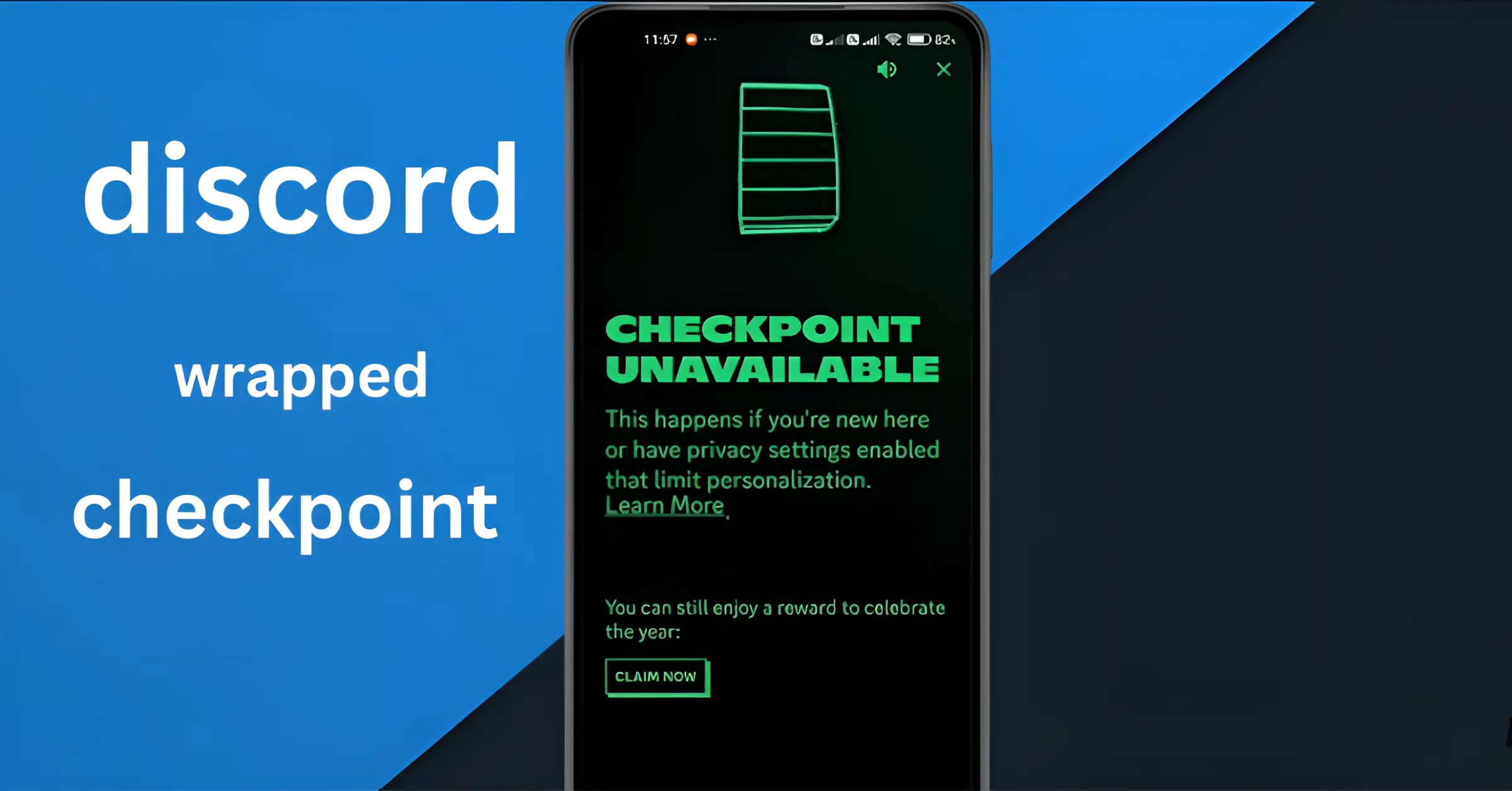
Discord has finally joined the year-end recap trend — and the results are surprisingly fun, personal, and a little bit embarrassing. The feature, Discord has finally joined the year-end recap trend—and the results are surprisingly fun, personal, and a little bit embarrassing. The feature, called Discord Checkpoint, gives you a full snapshot of your activity throughout the year, from how many hours you spent in voice chats to which friends you talked to the most. Think of it as Spotify Wrapped, but for your gaming and chatting life.
Whether you’re trying to check your Checkpoint, understand why it’s not showing up, or simply want to know what the feature includes, this long-form guide walks you through everything you need to know.
What Exactly Is Discord Checkpoint?
Discord Checkpoint is Discord’s first-ever personalized end-of-year wrap-up, launched on December 4, 2025. While Discord has always shown snippets of your activity—such as how long you’ve been streaming or gaming—Checkpoint is the first time it has packaged all your annual usage into one neat, shareable summary.
This feature was designed to celebrate Discord’s 10th anniversary, marking a decade since the app transformed how gamers, creators, and communities communicate. Discord hasn’t confirmed whether Checkpoint will return every year, but the team has teased that “plans for Checkpoint beyond 2025 are still unfolding.” So, while we don’t have a guaranteed yearly recap yet, this debut version feels like a promising start.
What Discord Checkpoint Shows You
Once you open your Checkpoint, you’re greeted with colorful slides that highlight your activity and habits for the entire year. The categories include:
1. Total Hours Spent in Voice Chats
This section reveals just how long you’ve been talking, laughing, shouting, or gaming with friends. From casual midnight chats to long gaming marathons, every minute is counted. Prepare to be surprised… or mildly horrified.
2. Your Most Active Servers
Checkpoint shows which servers you visited most, giving you a sense of the communities you spent the most time in. This can be a fandom group, a gaming clan, a friend circle, or even a work server if you’re using Discord professionally.
3. Your Top Friends on Discord
The recap highlights who you chatted with the most throughout the year. Whether it’s your gaming duo or your group-chat buddies, this slide is always entertaining to see.
4. Your Most-Used Emojis
Do you spam the red heart emoji? Or maybe it’s the crying emoji? Checkpoint doesn’t hold back—your emoji habits are on full display.
5. Your Most-Played Games
If you connect games through Discord or use the activity status feature, it tracks what you’ve played most. Some users have already discovered shocking stats—like 100+ sessions of a single game.
All this data is presented using bright visuals, making it easy to share with friends by tapping the Share button at the end.
Who Gets the Discord Checkpoint?
Discord makes it very simple to check your wrap-up, whether you’re on desktop or mobile. Here’s how:
On Desktop
- Open Discord.
- Wait for the Checkpoint pop-up to appear automatically.
- If it doesn’t appear, look for the flag icon in the top right corner.
- Click it to open your yearly recap instantly.
The desktop version typically updates automatically, but if nothing shows up, restart the app to force an update.
On Mobile
- Open the Discord app.
- A pop-up will appear introducing your checkpoint.
- If you missed it, tap the You icon in the bottom right corner.
- You’ll see a green Checkpoint banner—tap it to view your recap.
If the banner doesn’t show up, you likely need to update the app manually from the Google Play Store or Apple App Store.
Discord Checkpoint Not Showing? Here Are the Fixes
Several users have reported that their checkpoint isn’t appearing. If that’s happening to you, try these solutions:
1. Update Your App
The mobile app does NOT update automatically for everyone. Manually update it from the store.
2. Restart Your App
The desktop version updates only when reopened.
3. Check Your Privacy Settings
Go to
User Settings → Privacy & Safety → Personalization
Make sure “Allow Discord to use data to personalize my experience” is turned on.
4. You May Not Qualify
If you were inactive or a new user, Discord won’t generate a recap for you.
If all else fails, try logging in from a different device (like switching from mobile to desktop).
Unlocking the Limited-Time Profile Frame
One of the fun bonuses of viewing your Checkpoint is the temporary profile picture frame. This frame adds a colorful border to your avatar and is available until January 15.
The best part?
Even if you didn’t get a checkpoint because you lacked enough activity, you can still unlock the frame by simply trying to view it.
The frame disappears automatically after January 15 along with the Checkpoint feature, so use it while it lasts.
Discord’s Global Year-in-Review: What All Users Did in 2025
Alongside Checkpoint, Discord also released a huge global recap showing how all 200 million monthly active users behave across the platform. It’s a fun look at trends you might be part of without even realizing it.
Here are the highlights:
Most Popular Game on Discord: League of Legends
Even at 16 years old, LoL continues to dominate the charts.
Top Indie Hit: R.E.P.O.
This co-op survival horror game made massive waves in 2025.
Most-Used Emoji: Red Heart
Used a massive 2.18 billion times.
Second Most-Used Emoji: Sobbing Emoji
Reached 1.71 billion uses.
This global data shows how huge and diverse Discord’s community has become—spanning gamers, streamers, artists, students, and friend groups worldwide.
Why Discord Checkpoint Matters
Checkpoint is more than just a fun recap. It shows how central Discord has become to online interaction. This new feature does a few important things:
Helps users reflect on their community habits
Highlights friendships and connections built throughout the year
Encourages people to share their experiences on social media
Creates excitement and brings people back to the platform
Helps Discord compete with Wrapped, Recap, Memories, and other year-end tools
Considering how well-received this feature has been, it wouldn’t be surprising if Checkpoint becomes an annual tradition.
Final Thoughts
Discord Checkpoint 2025 is a refreshing and fun way to revisit your year online. Whether you spent hundreds of hours gaming, hung out on your favorite servers every night, or spammed emojis like crazy, Checkpoint captures it all in a colorful, shareable format.
And while Discord hasn’t promised yearly recaps yet, the overwhelmingly positive response from users suggests this could easily become a yearly highlight—just like Spotify Wrapped.
People Also Ask
Q.1. How do I see my Discord Checkpoint 2025 recap?
You can view your Discord Checkpoint by opening the app and tapping the pop-up that appears automatically. If you miss it, click the flag icon on desktop or tap the You tab on mobile and select the green Checkpoint banner to open your recap instantly.
Q.2. Why don’t I have a Discord Checkpoint this year?
You may not have a Checkpoint if you weren’t active in 2025 or if your privacy settings didn’t allow Discord to use your data for personalization. New users also may not have enough activity for a recap.
Q.3. How do I fix Discord Checkpoint not showing?
Make sure your app is updated, restart Discord, and check your privacy settings under User Settings → Privacy & Safety. Enable “Allow Discord to use data to personalize my experience.” If you still don’t see it, you may not qualify.
Q.4. What does Discord Checkpoint include?
Discord Checkpoint highlights your yearly stats, including top servers, voice chat hours, most-used emojis, your most active friends, and the games you played most while on Discord.
Q.5. Can I share my Discord Checkpoint recap online?
Yes. Discord offers an easy Share option at the end of your recap, allowing you to post it directly on Discord or save screenshots to share on social media platforms like Instagram, X, TikTok, and Reddit.